← all projects

PASSWORD GENERATOR

A cryptographically secure password generator built to learn AWS and infrastructure as code: a TypeScript Lambda behind API Gateway, provisioned entirely with Terraform (remote state in S3 with DynamoDB locking) and shipped through a GitHub Actions CI/CD pipeline that authenticates to AWS via OIDC, with no long-lived access keys stored anywhere. Tests gate the deploy: a failing suite blocks terraform apply.

TypeScriptAWS LambdaAPI GatewayTerraformGitHub Actions
GitHub
Solo project · Infrastructure & CI/CD · 2026
05 / 06

Project Architecture
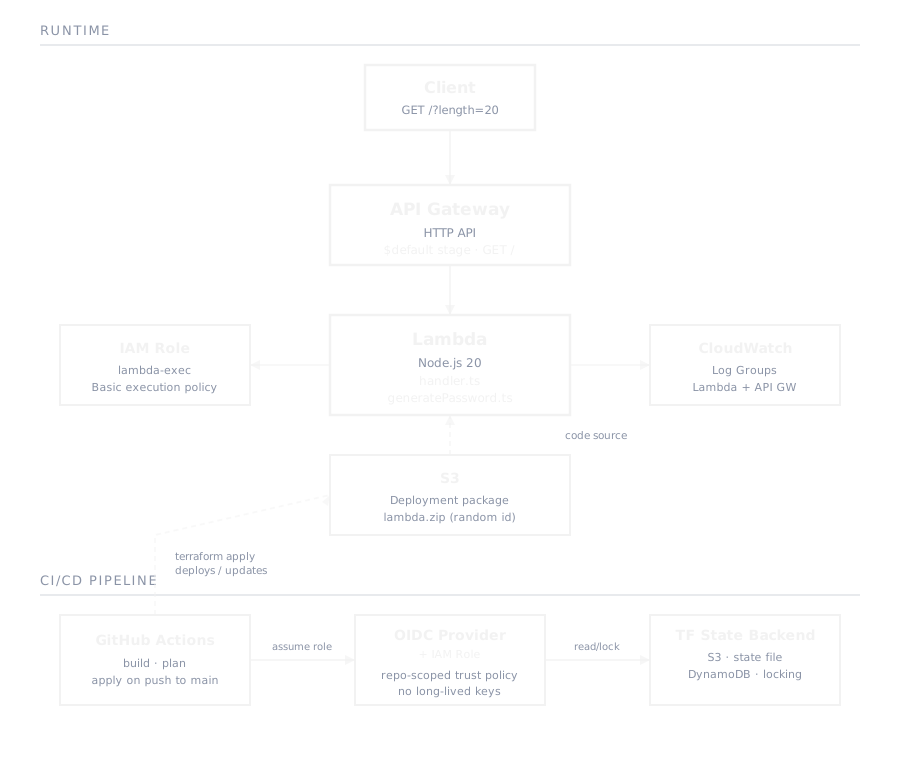
Password generator AWS architecture diagram: API Gateway, Lambda, Terraform-managed IAM roles and the GitHub Actions OIDC trust relationship

Technologies used

  • TypeScript
  • AWS Lambda
  • API Gateway
  • Terraform
  • GitHub Actions
  • AWS IAM (OIDC)
  • CloudWatch

Push to deploy, gated on green tests

  1. 01
    Build & testnpm ci, npm run build, then the Vitest suite, on every push and every pull request to main.
  2. 02
    Authenticate via OIDCGitHub Actions exchanges its OIDC token for short-lived AWS credentials by assuming an IAM role scoped to this repo, so no access keys are stored in GitHub.
  3. 03
    terraform planRuns on every push and pull request, so the plan is visible before anything gets applied.
  4. 04
    terraform applyGated to pushes on main, after tests and plan succeed. A failing test blocks the deploy.

Debugging OIDC: the sub claim isn't what the tutorials show

Wiring GitHub Actions to assume an AWS role via OIDC kept failing the trust-policy check. Most tutorials show the sub claim as repo:owner/repo:ref, but GitHub Actions now sends it in an immutable org-ID/repo-ID format instead (repo:org@<org-id>/repo@<repo-id>:*). Found the actual claim by inspecting the AssumeRoleWithWebIdentity call in AWS CloudTrail, then rewrote the IAM role's trust policy condition to match it.
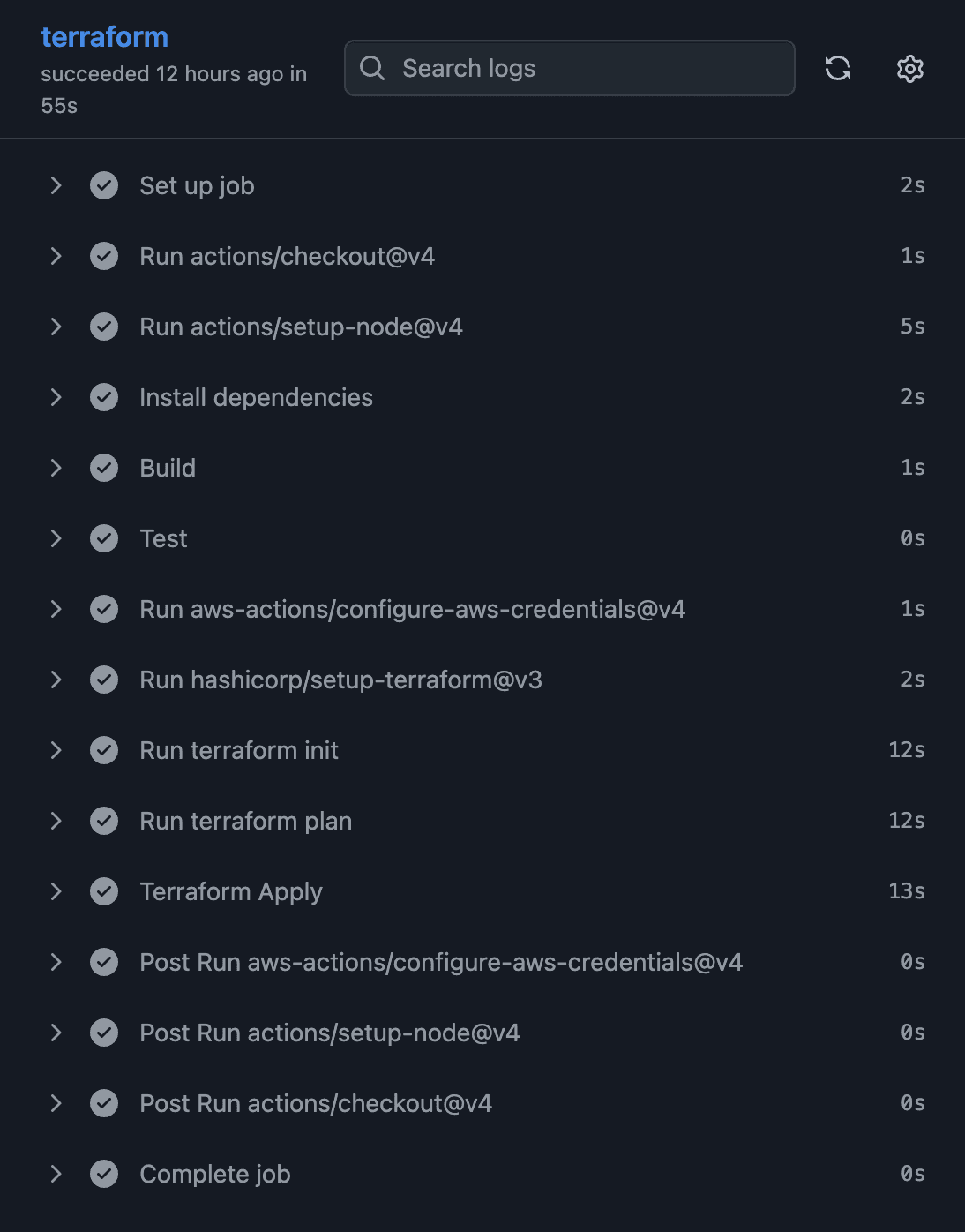
Successful GitHub Actions terraform job: checkout, tests, OIDC auth to AWS, then terraform plan and apply

Try it: this hits the real Lambda

Pick a length and character sets, then generate. This calls the live API Gateway endpoint directly from your browser.

Live: calling the real deployed API

Get in touch

Lets build something.

koodikommando@gmail.com→